
UK IPTV FREE TRIAL IPTV 24H TRIAL EASY PLAYER SETUP

UK IPTV Free Trial Try British IPTV Before You Subscribe

From £2.99 — 100% refundable with any plan

UK IPTV Free Trial lets UK viewers test live IPTV channels, VOD, movies, series, sports, and IPTV apps before choosing a full subscription. Start with a short trial, check your device, then upgrade when the service fits your home.

Trial access for live TV and VOD Test HD and 4K streams Works with major IPTV players
UK IPTV Free Trial

What You Can Test With UK IPTV Free Trial

Use the trial to check channels, VOD, picture quality, app login, and device compatibility before you commit to a full Digitalizard IPTV subscription.

Live Channels in the Trial

Explore sports, news, entertainment, kids, and international IPTV channels so you can judge the lineup on your own screen.

HD, FHD, and 4K Playback

Test picture quality during real viewing hours and see how HD and 4K streams perform on your connection and device.

A Clear 24h Test Window

Use the IPTV 24h free trial to check live TV, VOD, apps, and setup before moving to a longer subscription.

Upgrade When You Are Ready

When the trial fits your needs, choose a full IPTV subscription and keep watching with the same familiar setup.

How UK IPTV Free Trial Works

Test the IPTV service in three simple steps

1

Choose Your IPTV Trial

Select the trial option from the page and complete the activation step shown at checkout.

2

Receive Access Details

Check your inbox for the IPTV login details, then add them to your preferred player or device.

3

Test, Then Upgrade

Try live channels, VOD, and app playback. If the trial feels right, upgrade to a full Digitalizard IPTV subscription.

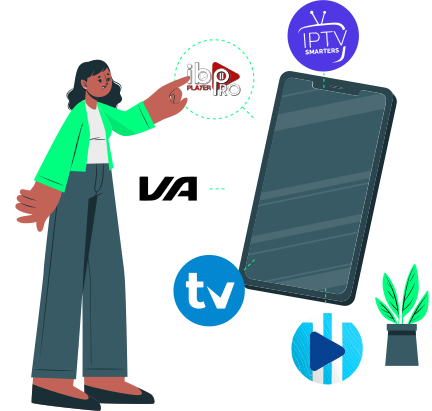
Simple IPTV free trial activation and setup process
IPTV player compatibility with Smart IPTV, TiviMate, and IPTV Smarters Pro

IPTV Players That Work With UK IPTV Free Trial

Use your trial on Smart IPTV, TiviMate, IPTV Smarters Pro, or another player that supports M3U or Xtream Codes. The Setup IPTV Guide Installation explains the common setup paths for non-technical users.

TiviMate and IPTV Smarters Pro ready
Smart IPTV and common Smart TV apps supported
M3U and Xtream Codes compatible
Works on Firestick, Android TV, Smart TV, mobile, and desktop

Secure Checkout for Your UK IPTV Free Trial

When you start a trial or upgrade to a full IPTV subscription, checkout stays encrypted, clear, and easy to complete on any device.

Credit and debit cards accepted
Fast PayPal checkout when available
Crypto payments supported where shown
Clear upgrade path after the trial
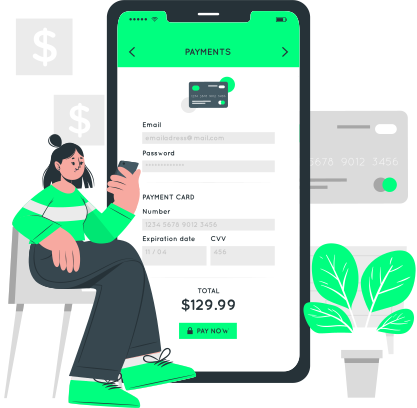
Secure checkout for IPTV trial and subscription upgrade
Support Center

UK IPTV Free Trial
Trial Questions Answered

What is included in the UK IPTV Free Trial?

+

UK IPTV Free Trial gives you a short window to test live IPTV channels, VOD, movies, series, sports, app login, and playback quality before you choose a full subscription.

Live channels, VOD, movies, series, and sports

Use the trial on the same device and internet connection you plan to watch with every day, so the result reflects your real home setup.

Why testing first helps you choose confidently

The goal is simple: confirm the channel lineup, video quality, player compatibility, and support experience before committing to a longer plan.

Is an IPTV free trial safe and legal to use?

+

IPTV technology itself is legal, but legality depends on content rights, provider licensing, and your location. Follow local laws and choose transparent providers.

Legal use depends on rights and location

Before paying for any IPTV service, review pricing, refund terms, support availability, and setup instructions. A trial helps you make that check before a longer subscription.

What to review before paying for IPTV

DigitaLizard IPTV keeps the process clear so trial users know how to access the service, test the apps, and decide whether to upgrade.

How do I install the IPTV trial on Firestick, Roku, or Smart TV?

+

Install a supported IPTV player, enter the trial credentials, and load your playlist or portal. The Setup IPTV Guide Installation covers Firestick, Roku, Android TV, Apple TV, Smart TV, and more.

Use the setup guide for each device

TiviMate and IPTV Smarters Pro are popular for Firestick and Android TV. Smart IPTV is common on Smart TVs, while M3U and Xtream Codes details simplify login.

Smart IPTV, TiviMate, IPTV Smarters Pro, M3U, and Xtream Codes

If one app does not fit your device, try another supported IPTV player during the trial before choosing a long-term setup.

Do I need a VPN during the IPTV trial?

+

A VPN is optional for most trial users. It can help with privacy or throttling, but the best setup depends on your internet provider and local requirements.

When VPN testing makes sense

Test the IPTV trial on your regular connection first. If streams slow down at peak times, compare playback with a reputable VPN and keep the better setup.

Compare playback with your normal connection

Support can help you identify whether an issue comes from the app, device, internet speed, or playlist settings.

How do I upgrade from the trial to a full IPTV subscription?

+

If the trial works well, choose a full Digitalizard IPTV subscription from the pricing section and continue with the same player setup.

Move from trial access to a paid plan

Upgrading gives you a longer viewing period, stable account access, and the same support path for channels, VOD, apps, and device questions.

Reseller options are also available

If you want to sell IPTV instead of only watching it, you can Become an IPTV reseller and ask about reseller panel access.

Try IPTV Before You Buy

Ready to Experience Premium IPTV Trial?

Join thousands of satisfied viewers. Start your £2.99 trial today — 100% refundable with any plan.